Looking for a music bingo app for Android? Wasingo turns your Samsung, Pixel, or any modern Android phone into a full music bingo host, real songs, a unique card on every player's phone, the board on your TV via Chromecast, and wins verified automatically. Download it free from Google Play and run a polished game night in minutes.
Why Wasingo is the best music bingo app for Android
The right music bingo app should replace every job the old-fashioned caller did, building the cards, playing the songs, showing the board, and calling the wins, from the phone already in your hand. Wasingo runs smoothly across the whole Android range, from budget phones to flagship Galaxy and Pixel devices.
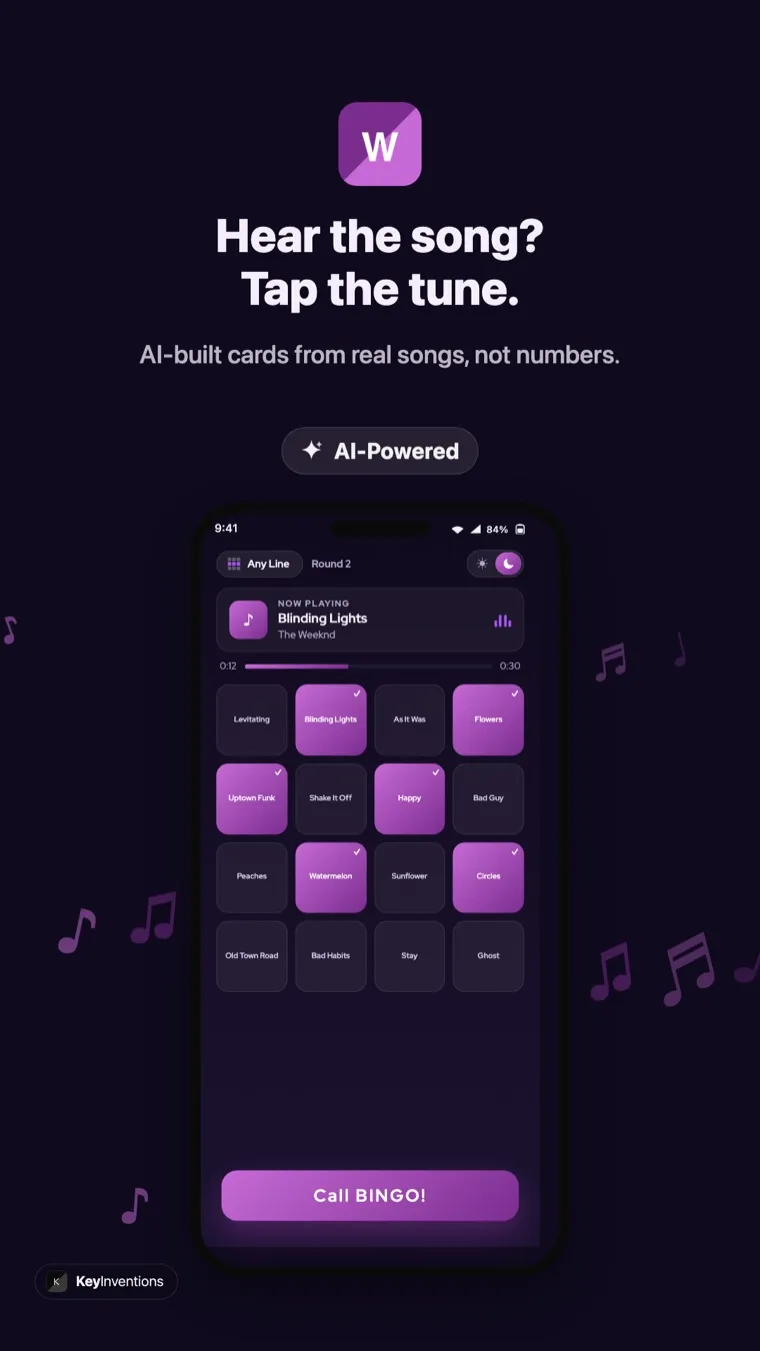
Cards are built from real song titles, and 15–30 second clips play so guests recognize each track instantly. Auto-generate a themed pack or hand-pick your own.
Tap Cast and send the board to any Chromecast or Chromecast-built-in TV. The room sees the QR join code, the now-playing song, and the live song list while you host from your phone.
Everyone gets a different randomized card, no duplicates, no sharing. Pick 3×3, 4×4, or 5×5 to set how long the round runs.
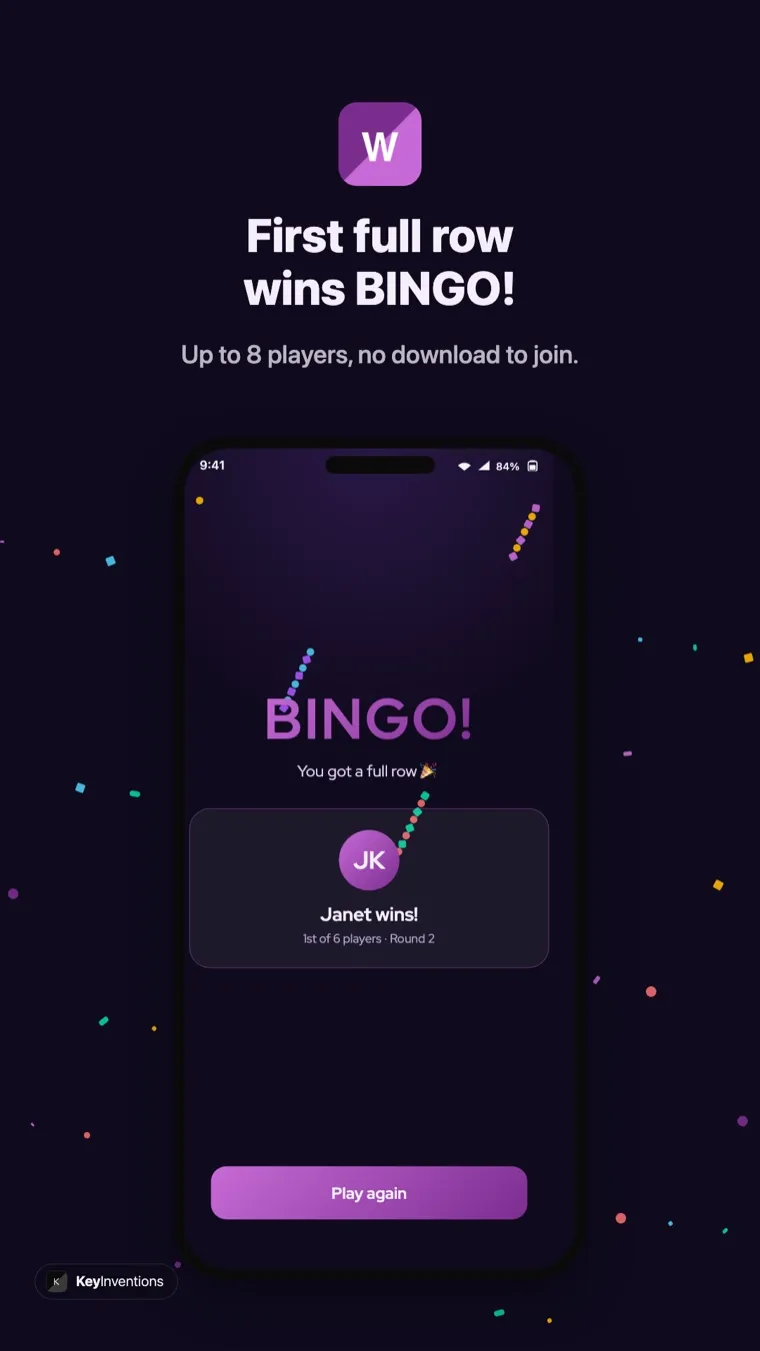
Wasingo watches every card and calls the first valid bingo the instant it lands, no manual checking, no disputes.
Set up your host account instantly with your Google account, or use email. Guests don't sign in at all; they just join the room.
No pop-ups, no interruptions mid-song. Free to host your first nights, and players always play free from any phone.
See the music bingo app on Android
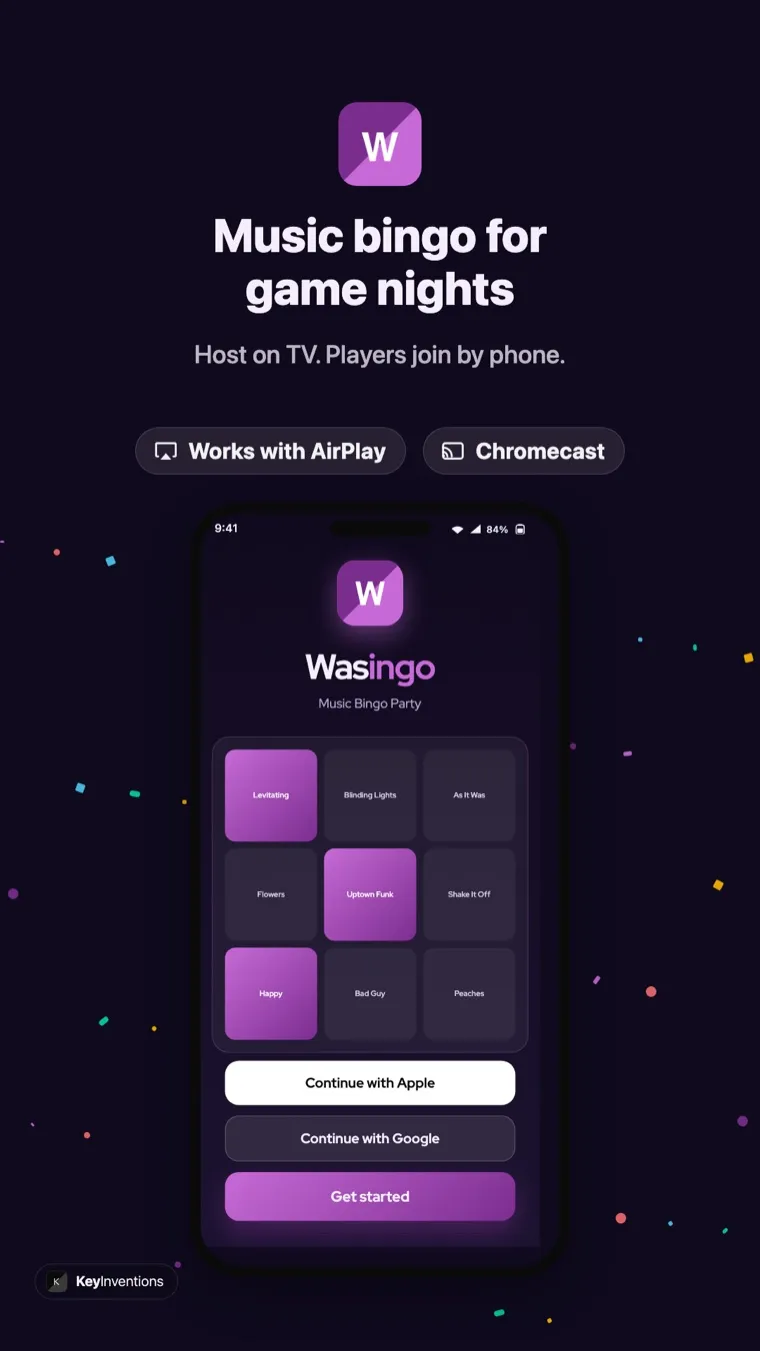
Here's Wasingo running on Android, the song-pack picker with Chromecast built in, a live card during play, and the winning moment when a full row lands.
How to host music bingo from your Android phone
From install to your first song is only a few minutes. Here's the full flow.
- Install Wasingo from Google PlayDownload the free app and sign in with your Google account in one tap. No payment details, no lengthy setup.
- Build your playlistSearch real songs, or choose a ready-made theme, 90s, hip-hop, country, Disney, and dozens more. Set your card size and whether a line, four corners, or a blackout wins.
- Cast the board to your TVMake sure your phone and Chromecast are on the same Wi-Fi, tap the Cast button, and choose your TV. The host board appears with a big QR join code.
- Players join in secondsGuests scan the QR code or type the 4-letter room code on any phone, no app, no account. They're playing instantly.
- Play, and let the app call the winsHit play. Clips shuffle, guests mark the songs they know, and Wasingo announces the first valid bingo for you. Roll straight into the next round.
Cast the board to your TV with Chromecast
Hosting on Android shines with a second screen. Keep the controls on your phone while the whole room watches the board on the TV, the now-playing song with artwork, a live song list, the leaderboard, and a QR code so anyone can jump in mid-game. With a Chromecast or a Chromecast-built-in TV (including Google TV and many Android TV sets), casting takes one tap and nothing is installed on the TV itself. Hosting for people who aren't in the room? Share the room code and they can play from anywhere, see virtual music bingo for the remote setup.
Works on Samsung, Pixel, and every modern Android
Wasingo is built for the full Android ecosystem. It runs great on Samsung Galaxy, Google Pixel, OnePlus, Motorola, and other phones on Android 8.0 or later, and it scales up nicely on Android tablets if you want a bigger host screen. Because players join in the browser, it doesn't matter what phone your guests carry, Android and iPhone users play side by side in the same room. If some of your crowd is on Apple devices, point them to our iPhone app guide.
Android compatibility & requirements
| Requirement | Details |
|---|---|
| Operating system | Android 8.0 (Oreo) or later |
| Devices | Samsung Galaxy, Google Pixel, OnePlus, Motorola, and most Android phones & tablets |
| Show board on TV | Cast with Chromecast, Chromecast built-in, Google TV, or Android TV |
| Music | Real preview clips out of the box; connect a service for longer playback |
| Host sign-in | Sign in with Google or email |
| Players | Join free from any phone, no download, no account |
| Price | Free to download and host; Pro $4.99/month for unlimited hosting |
Free to start, Pro when you're ready
Wasingo is free to download on Google Play and free to host your first game nights, no ads, ever, and players always play free. For regular hosts, Wasingo Pro unlocks unlimited hosting and advanced options at $4.99/month. See the full breakdown on our pricing page, or read why hosts call Wasingo the best music bingo app.
Download the music bingo app for Android
Make tonight a music bingo night. Grab Wasingo on Google Play, build a playlist in a couple of minutes, cast the board to your TV, and let guests join with a tap. For more, see how to play, browse themes, or find ideas for parties and family game night.
Frequently asked questions
Is the music bingo app free on Android?
Yes. Wasingo is a free download on Google Play, and you can host your first game nights free with no ads. Players never pay and never need an account, they join from any phone with a QR code or a 4-letter room code. Frequent hosts can upgrade to Wasingo Pro for $4.99/month.
How do I cast the music bingo board to my TV from Android?
Use Chromecast. With a Chromecast or Chromecast built-in TV on the same Wi-Fi, tap the Cast button and pick your TV. The host board, with the QR join code, now-playing song, and song list, appears on the big screen while you run the game from your phone.
Which Android phones and tablets does Wasingo work on?
Wasingo runs on Android 8.0 and later, so it works on Samsung Galaxy, Google Pixel, OnePlus, Motorola, and virtually any modern Android phone or tablet. The app scales cleanly from compact phones to large tablets.
Do I need Spotify or a music subscription on Android?
Wasingo builds cards from real songs and plays preview clips out of the box, so you can host without any subscription. Connecting a music service gives you longer, higher-quality playback, but it is optional, you can start a game with nothing but the app.
Can iPhone users join a game I host from my Android phone?
Yes. Guests join from any phone, Android or iPhone, in the browser by scanning the QR code or entering the room code. Nobody downloads anything, so an Android host and iPhone guests all play together with no friction.