Looking for a music bingo app for your iPhone? Wasingo turns the iPhone in your pocket into a complete music bingo host, real songs from Apple Music, a unique card on every player's phone, the game board on your TV, and wins verified automatically. It's the fastest way to run a polished game night at home, at a party, or at a venue.
Why Wasingo is the best music bingo app for iPhone
A great music bingo app should do everything the old-school bingo caller did, and more, from a device you already carry. Wasingo was built for iOS from the ground up, so it feels native, launches fast, and takes advantage of the Apple features that make hosting effortless.
Search millions of tracks through Apple Music, or let the app auto-build a themed playlist. Cards are made from real song titles, and 15–30 second clips play in crisp, licensed quality.
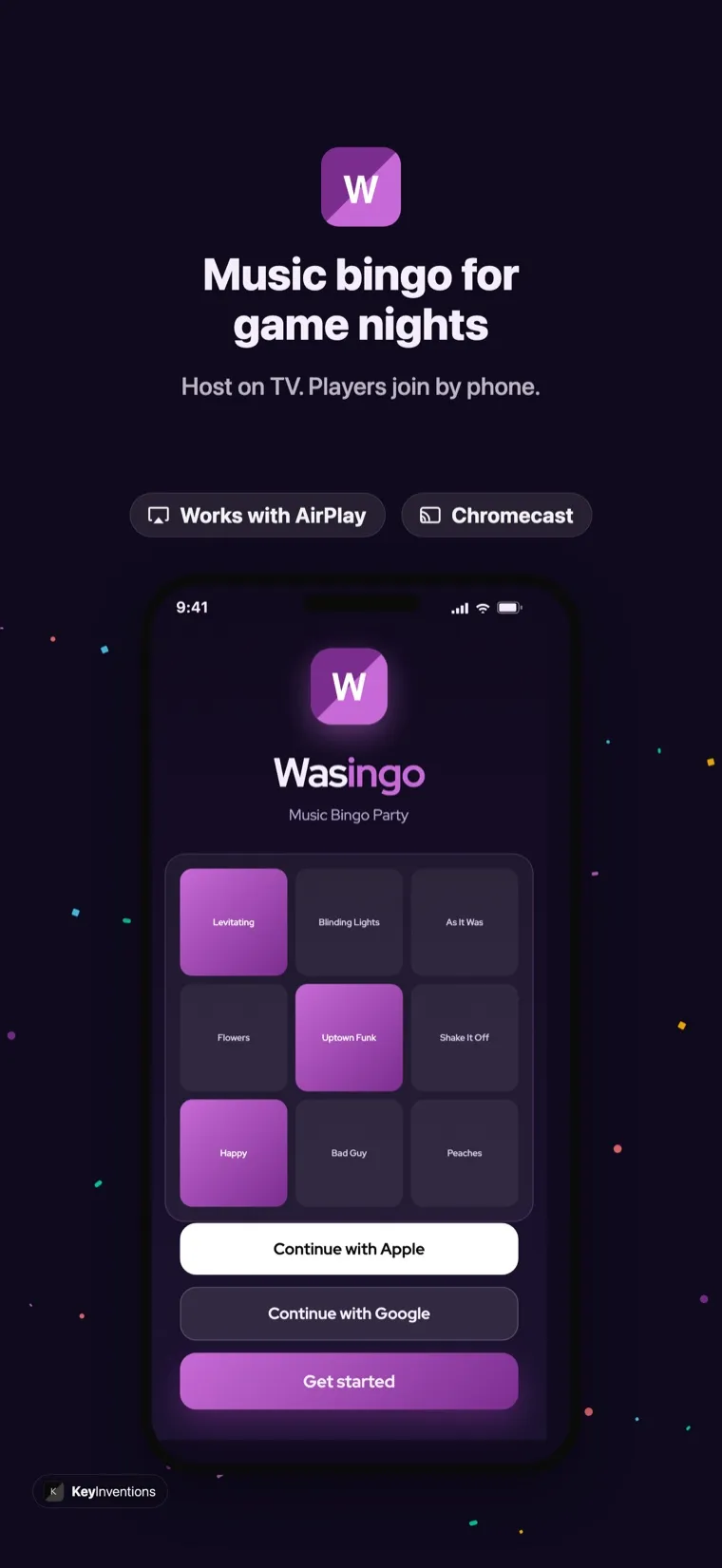
Mirror to any AirPlay-compatible smart TV in one tap. The big screen shows the QR join code, the now-playing song, and the full song list so the whole room can follow along.
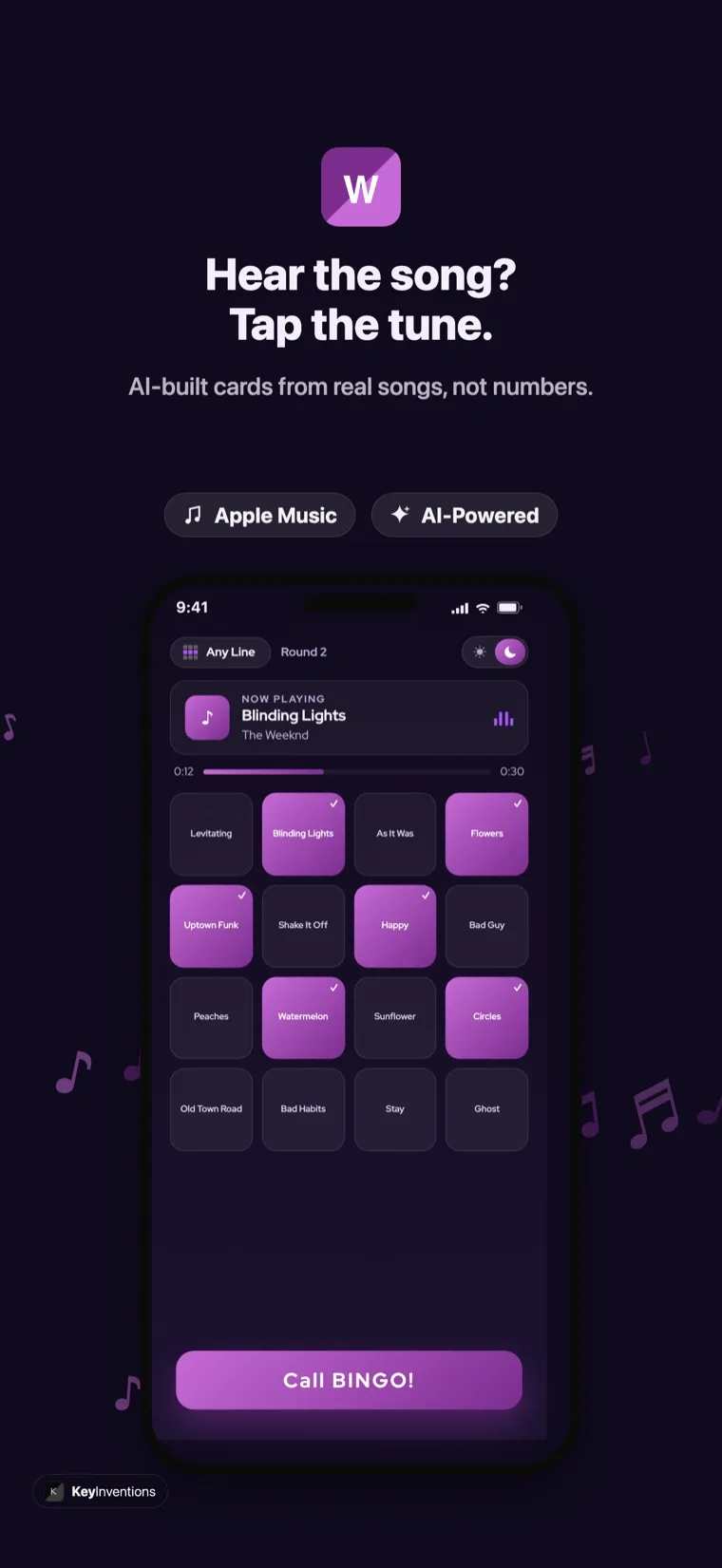
Each guest gets their own randomized card, no duplicates, no sharing, no cheating. Choose 3×3, 4×4, or 5×5 to set the length and difficulty.
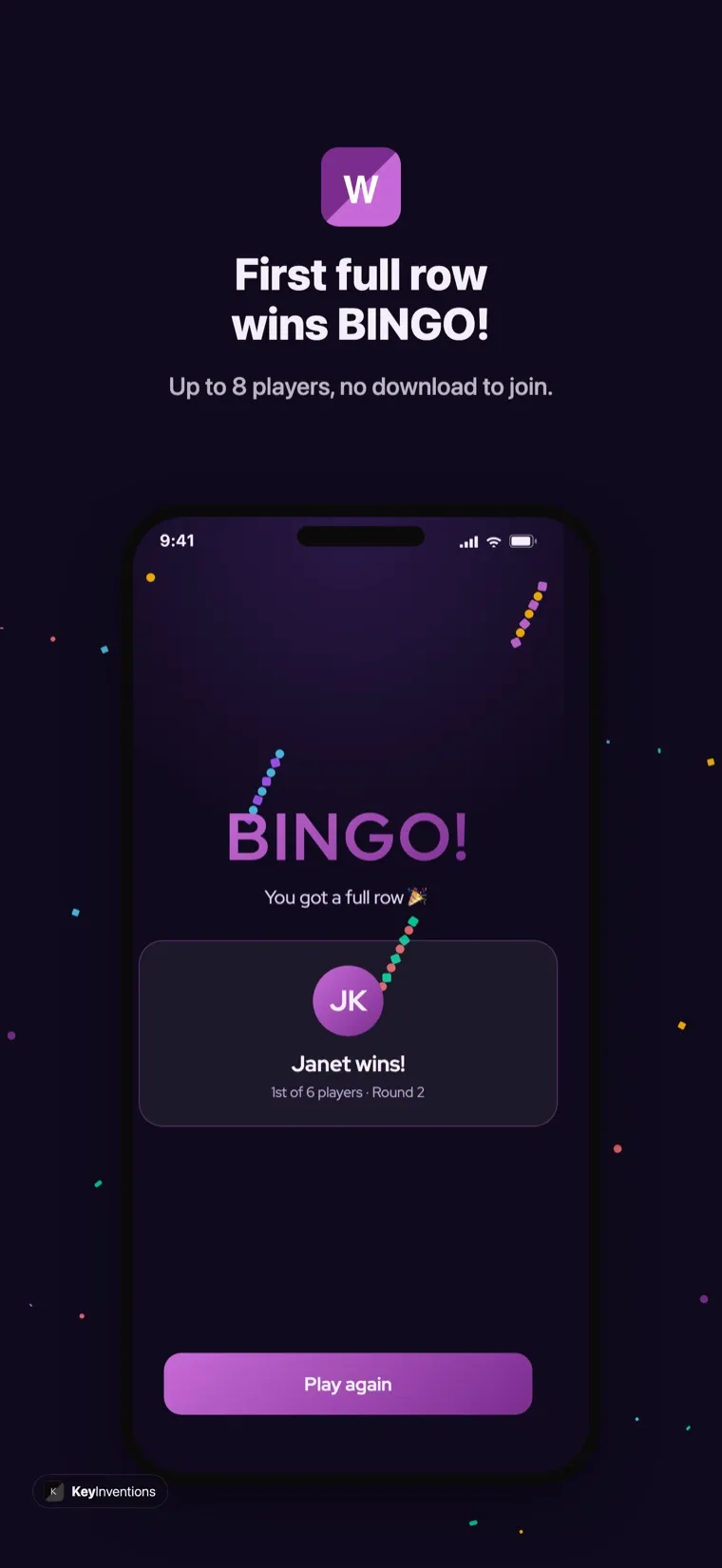
The app tracks every card as songs play and calls the first valid bingo instantly. No squinting at cards, no arguments about who won.
Create your host account in one tap with Face ID, private, fast, and no new password to remember. Players don't sign in at all.
Nothing interrupts a song. The experience is completely ad-free, and guests join free from any phone with no download.
See the music bingo app on iPhone
Here's the real Wasingo experience on iPhone, the song-pack picker with AirPlay and Chromecast built in, a live card during play, and a full-row BINGO the moment someone wins.
How to host music bingo from your iPhone
You can go from download to your first song in under five minutes. Here's the whole flow.
- Download and open WasingoGet the free app from the App Store and sign in with Apple in one tap. No credit card, no setup wizard.
- Build your playlistSearch real songs by title or artist, or pick a ready-made theme, 80s, Taylor Swift, Disney, country, and dozens more. Choose your card size and whether a line, four corners, or a full blackout wins.
- AirPlay the board to your TVOpen Control Center, tap Screen Mirroring, and choose your TV. The host board appears on the big screen with the QR join code front and center.
- Players join in secondsGuests scan the QR code or enter the 4-letter room code on any phone. No app, no account, they're in instantly.
- Play, and let the app call the winsTap play. Clips shuffle, players mark songs they recognize, and Wasingo announces the first valid bingo automatically. Run round after round without lifting a finger.
AirPlay the board to your TV
The magic of hosting on iPhone is the second screen. While you keep the controls in your hand, everyone else watches the board on the TV, the now-playing song with its album art, a live-scrolling song list, the leaderboard, and a big QR code so latecomers can join mid-game. Because it's AirPlay, there's nothing to install on the TV: any AirPlay 2-compatible smart TV works, and your iPhone never leaves your control. If your friends are joining remotely, share the room code and they can play from their own couches, see virtual music bingo for a full remote setup.
iPhone and iPad, one app, one account
Wasingo is a universal app, so the same download runs on iPhone and iPad with your Apple account synced across both. Many hosts run the controls from their iPhone and stand an iPad up as a second screen for guests nearby, or use the iPad as the main host display when there's no TV in the room. The larger canvas makes the board and song list even easier to read from across a table. If a tablet is your main device, we have a dedicated guide to music bingo on iPad.
iPhone compatibility & requirements
| Requirement | Details |
|---|---|
| Operating system | iOS 15.0 or later (iPhone 6s and newer) |
| Devices | iPhone and iPad, universal app, one download |
| Show board on TV | AirPlay to your TV or any AirPlay 2 smart TV |
| Music | Apple Music for full playback; free Apple preview clips otherwise |
| Host sign-in | Sign in with Apple, Google, or email |
| Players | Join free from any phone, no download, no account |
| Price | Free to download and host; Pro $4.99/month for unlimited hosting |
Free to start, Pro when you're ready
Wasingo is free to download and free to host your first game nights, with no ads and no catch. Players always play free. If you host regularly, a weekly bar night, a monthly fundraiser, a classroom routine, Wasingo Pro unlocks unlimited hosting and advanced options for $4.99/month. See the full breakdown on our pricing page, or read why hosts rank us the best music bingo app.
Download the music bingo app for iPhone
Turn tonight into a music bingo night. Download Wasingo from the App Store, build a playlist in a couple of minutes, AirPlay the board to your TV, and let your guests join with a tap. For more, see how to play, browse themes, or get ideas for parties and family game night.
Frequently asked questions
Is the music bingo app free on iPhone?
Yes. Wasingo is a free download on the App Store, and you can host your first game nights free. Players never pay and never need an account, they join from any phone by scanning a QR code or entering a 4-letter room code. Frequent hosts can upgrade to Wasingo Pro for $4.99/month.
Do I need Apple Music to play music bingo on iPhone?
An Apple Music subscription gives you full-length, high-quality playback of the songs on your card. Without a subscription, Wasingo plays the free preview clips Apple provides, which is enough to recognize most songs. Either way, the app builds your cards from real songs.
How do I show the music bingo board on my TV from an iPhone?
Use AirPlay. Swipe into Control Center, tap Screen Mirroring, and pick your AirPlay-compatible smart TV. The host board, with the QR join code, now-playing song, and song list, appears on the big screen while you control the game from your iPhone.
What iPhones does Wasingo support?
Wasingo runs on iPhone and iPad with iOS 15.0 or later, which covers iPhone 6s and newer. The app is optimized for the latest iPhone displays and also scales up beautifully on iPad if you want a larger host screen.
Can my friends on Android join a game I host from my iPhone?
Yes. Players join from any phone, iPhone or Android, through the browser by scanning the QR code or entering the room code. They don't need to download anything, so an iPhone host and Android guests all play together seamlessly.