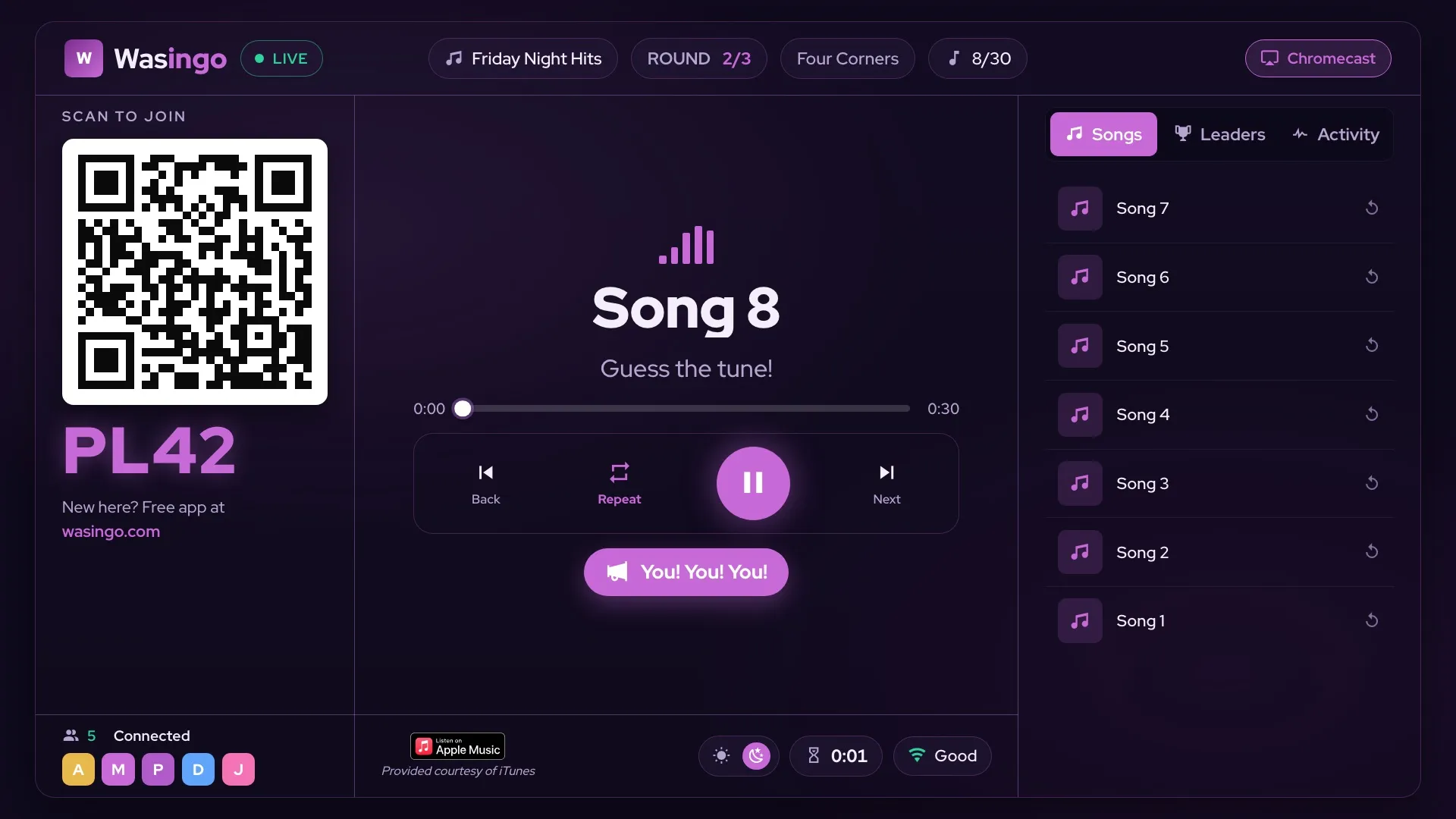
Yes — Wasingo plays real song clips through Apple Music, so your music bingo game is built from actual songs, not numbers. You pick the tracks (or let the app fill a themed list), and Wasingo turns them into a unique card for every player, plays the clips on game night, and shows the board on your TV. Here's exactly how it works.
🎵 Wasingo plays real song clips through Apple Music (or Spotify), gives every player a unique card on their own phone, casts the board to your TV, and verifies wins automatically. Only the host plays the music, so your guests never need a subscription. Host your first game night free.
How music bingo with Apple Music works
Music bingo swaps the numbers of classic bingo for songs. Instead of a caller reading "B-12," the host plays a short clip of a song, and players mark it if it's on their card. Wasingo runs the whole thing: it builds each card from real songs, plays the clips from the host's device, and checks the winning card for you.
Apple Music is where the songs come from. When you build a game, you search real tracks and Wasingo pulls them from Apple Music (and Spotify), so the clips your players hear are the real recordings — the intros, hooks, and choruses everyone recognizes in seconds. Only the host's device plays the music, so it fills the room while every player just watches their own card. If you're weighing services, see how Apple Music and Spotify compare below, or start with our music bingo guides for the basics.
Build a music bingo game from Apple Music songs
Getting from an idea to your first clip takes just a few minutes. Here's the whole flow.
Choose your songs
Search real songs to build your playlist, or let Wasingo auto-fill a themed list for you — an 80s night, a country mix, a birthday favorite. The app pulls from Apple Music (and Spotify), so the clips are real, and you can preview each one before the party.
Generate the cards
Wasingo turns your songs into a unique card for every player — on their own phone or printable. No two cards are the same, and there's nothing to hand out by hand.
Cast the board to your TV
Show the board on the big screen with AirPlay or Chromecast. The TV displays the QR join code, the now-playing song, and the song list, while you keep the controls on your device.
Play the clips & verify wins
The host's device plays a clip of each song in random order. Players mark the songs they recognize on their card, and Wasingo verifies the winning card automatically — no arguments, no scorekeeping.
Apple Music vs. Spotify for music bingo
Good news: you don't have to choose based on Wasingo. The app plays real song clips through either Apple Music or Spotify, so you can host with whatever you already use. Both let you search real songs to build your playlist or auto-fill a themed one, both play the clips from the host's device, and both show the board on your TV. Pick the service you're already subscribed to and you're set. If Spotify is your service, we have a companion guide to music bingo with Spotify.
Do you need an Apple Music subscription?
Here's the part that surprises most hosts: only the host plays the music. Your guests never stream anything themselves — they just watch their card and listen to the room — so no player needs an Apple Music subscription of their own.
For the host, a subscription helps but isn't required. With an Apple Music subscription you get full-length, high-quality playback of the songs on the cards. Without one, Wasingo plays the free preview clips Apple provides, which is plenty to recognize most songs — a hook is all it takes. Either way, the game is built from real songs, and hosting your first game night is free (players are always free; Pro is $4.99/mo if you host often).
Frequently asked questions
Can you play music bingo with Apple Music?
Yes. Wasingo plays real song clips through Apple Music (or Spotify) — you build your game from real songs and the app turns them into cards, clips, and a board on your TV. Only the host plays the music, so your players don't each need a subscription.
How does Wasingo use Apple Music?
You search real songs to build your playlist, or let the app auto-fill a themed one. On game night the host's device plays the clips through Apple Music while the board shows on your TV over AirPlay or Chromecast. Every player gets a unique card on their own phone, and wins are verified automatically.
Do I need an Apple Music subscription for music bingo?
Only the host plays the music, so only the host benefits from a subscription. An Apple Music subscription gives you full-length, high-quality playback; without one, Wasingo plays the free preview clips Apple provides, which is enough to recognize most songs. Players never need a subscription of their own.
Does music bingo work with Apple Music and Spotify?
Yes. Wasingo plays real song clips through Apple Music or Spotify, so you can host with whichever one you already use. Either way, the app builds your cards from real songs.
Can Android players join an Apple Music game?
Yes. Only the host plays the music, so it doesn't matter what your guests use. Players join from any phone — iPhone or Android — by scanning a QR code or entering a 4-letter room code, with no download and no account.