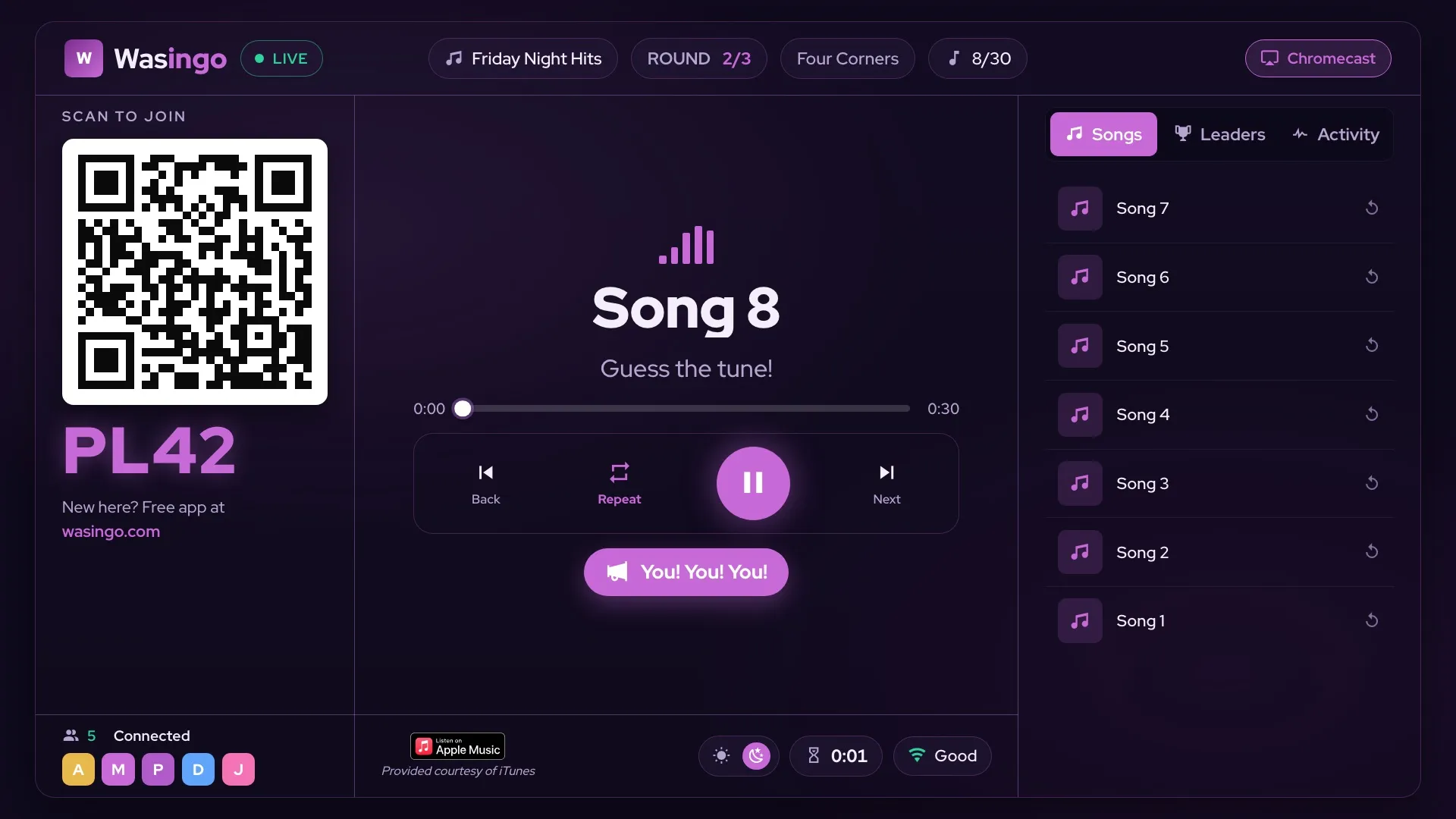
Yes — you can play music bingo with Spotify. Wasingo plays real song clips through Apple Music or Spotify, so you build your game from the songs you already love and the app turns them into cards, clips, and a board on your TV. Here's how it works, and how to go from the songs on your Spotify playlist to a room full of people racing to shout "Bingo!"
🎵 Wasingo runs the whole game for you — real song clips through Apple Music or Spotify, a unique card on every phone, the board on your TV, and wins verified automatically. Host your first game night free.
How music bingo with Spotify works
Music bingo swaps the numbers on a classic bingo card for songs. As the host, you build a playlist from real songs — including the ones you love on Spotify — or let the app auto-fill a themed list for you. Every player gets a different card filled with your song titles. When a clip plays and someone recognizes it on their card, they mark the square. First to complete the pattern wins.
The music always comes from one place: the host's device. Wasingo plays the real clips through your connected music service and casts the game board to your TV over AirPlay or Chromecast, so the whole room follows along together. Your guests don't need Spotify, an account, or any download — they just join from their phones (or a printed card) and play. For the full walkthrough, see our music bingo guides.
Turn a Spotify playlist into a music bingo game
Already have a go-to Spotify playlist for parties? That's the perfect starting point. Here's how to turn those songs into a game:
Pick your songs
Build your game from real songs — including the ones you love on Spotify. Search for the exact tracks you want, or let Wasingo auto-fill a themed list (like "80s Night" or "Pop Anthems") to save time.
Generate the cards
The app turns your song list into a unique card on every player's phone — or a printable one for anyone without a smartphone — so no two people are marking the same board.
Cast the board to your TV
Send the game board to the TV over AirPlay or Chromecast. Players join by scanning a QR code or entering a short room code — no accounts, no downloads.
Play the clips and verify wins
Your device plays real song clips in random order. Players mark the songs they recognize, and Wasingo checks each card automatically — so the first real bingo wins, with no arguments.
Spotify vs. Apple Music for music bingo
Good news: you don't have to choose a side. Wasingo plays real song clips through Apple Music or Spotify, so you host with whichever service you already use. The game itself plays out exactly the same either way — the difference is only which library the host's clips come from.
Whichever you pick, you can search for the exact songs you want by title or artist, or let the app auto-fill a themed playlist. And because only the host plays the music, your choice of service never affects your guests — they play free from their phones no matter what.
Do you need Spotify Premium?
Only the host plays the music, from their own device, so your guests never need Spotify — or any subscription — to play along. Whether a paid plan is required to play full clips depends on the music service and account you host with, so it's worth checking your Apple Music or Spotify account before your first game.
Either way, hosting your first game night on Wasingo is free, and players always play free — no ads, no accounts, no downloads on their end.
Frequently asked questions
Can you play music bingo with Spotify?
Yes. Wasingo plays real song clips through Apple Music or Spotify, so you can build your music bingo game around the songs you already love on Spotify. As the host, you pick the songs — or let the app auto-fill a themed list — and Wasingo turns them into cards, clips, and a board on your TV.
How do I make music bingo from a Spotify playlist?
Build your game from real songs, including the ones you love on Spotify, by searching for and choosing the tracks you want — or let Wasingo auto-fill a themed list for you. The app turns your song list into a unique card for every player, plays the clips in random order, and verifies wins automatically.
Do I need Spotify Premium for music bingo?
Only the host plays the music, from their own device, so your guests never need Spotify or any subscription to play. Whether a paid plan is required to play full clips depends on the music service and account you host with, so check your Apple Music or Spotify account. Hosting your first game on Wasingo is free, and players always play free.
Does music bingo work with Spotify and Apple Music?
Yes. Wasingo plays real song clips through Apple Music or Spotify, so you can host with whichever service you already use. Search for the exact songs you want, or let the app auto-fill a themed playlist — either way, the clips are real recordings your crowd will recognize.
Can players hear the songs without Spotify?
Yes. Only the host plays the music — the clips come from the host's device and everyone hears them together, with the board shown on the TV over AirPlay or Chromecast. Players just need their phone (or a printed card) to mark songs; they don't need Spotify, Apple Music, or any download.